Self-Hosting n8n for Business Automation
How I built a self-hosted n8n environment with a VPS, Docker, a custom domain and secure production access to create a reliable foundation for business automation.
Building the infrastructure behind reliable automation.
Automation workflows are only as useful as the environment they run in. For Smart Systems Desk, I wanted an n8n setup that could support production webhooks, external integrations and future AI-powered workflows without depending on a limited hosted automation plan.
The goal was to create a self-hosted environment that offered more control over workflows, data and integrations while remaining practical to maintain.
The result is a dedicated n8n environment running on its own server, available through a custom domain and ready to handle live business workflows.
Business automation needs a stable place to run.
As automation becomes part of real business processes, the underlying infrastructure becomes more important.
Webhooks need to remain available, workflows need persistent storage and integrations should not depend on a development environment being open or a temporary test URL remaining active.
I also wanted the freedom to build more workflows without having to evaluate every automation based on execution limits or platform usage.
The automation layer needed to be reliable enough for production use, flexible enough for future integrations and under direct control.
Self-hosting creates a foundation that can support multiple business workflows.
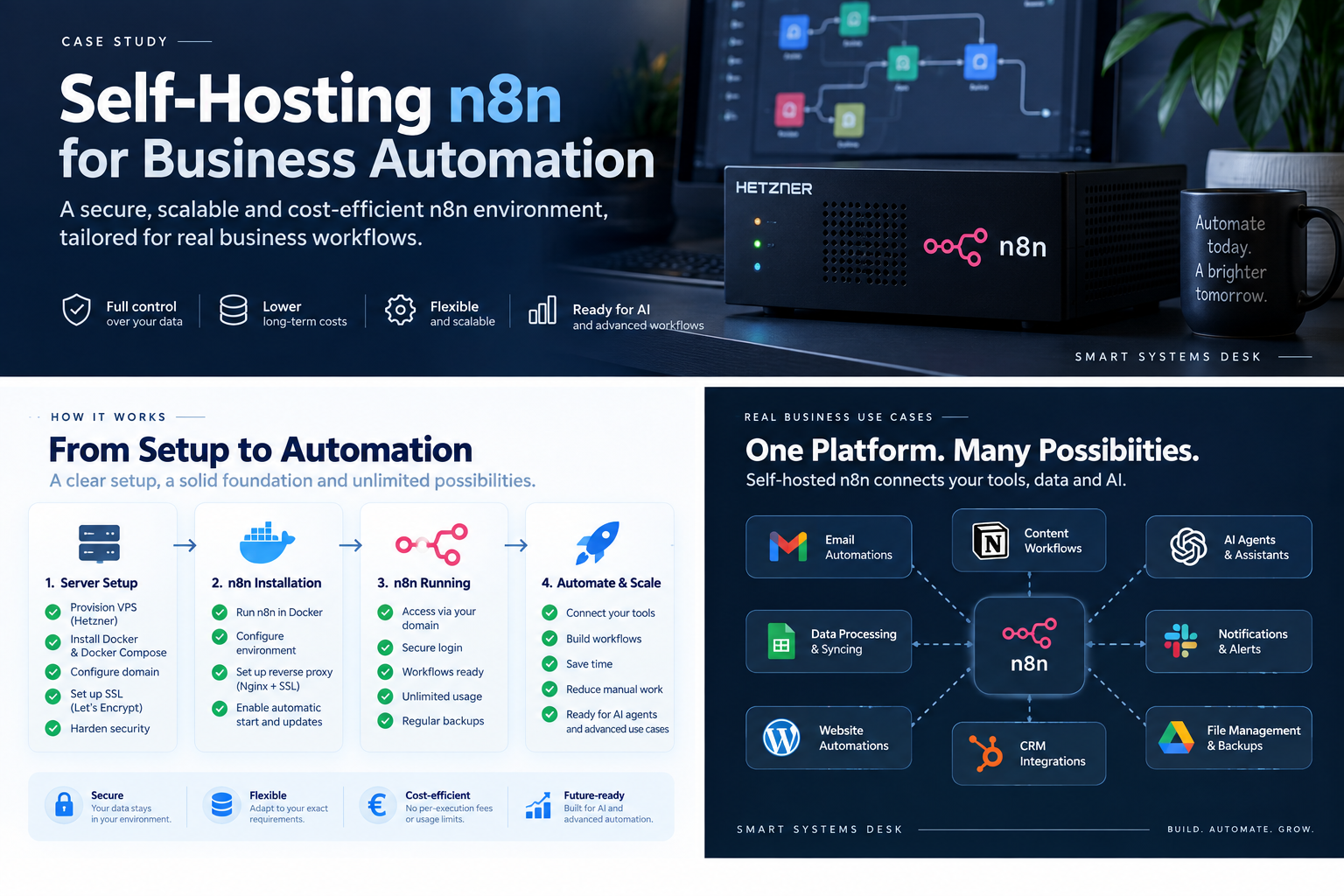
The environment needed to be secure, persistent and accessible in production.
Provision a server
Create a dedicated VPS capable of running n8n continuously.
Containerize the setup
Use Docker so the environment remains easier to manage and update.
Add secure web access
Connect a custom domain and serve n8n securely over HTTPS.
Support production workflows
Make live webhook endpoints available for real integrations.
A dedicated n8n environment running on a Hetzner VPS.
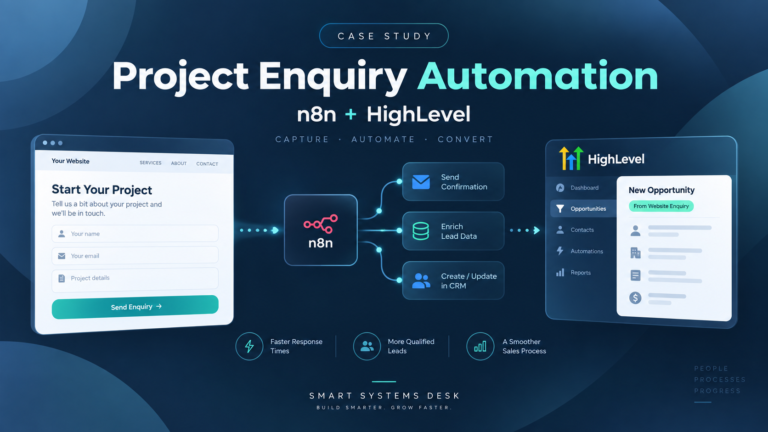
The environment runs on an Ubuntu server hosted with Hetzner. n8n is deployed using Docker so the automation platform runs in a controlled containerized environment.
A custom subdomain provides a consistent production address, while the reverse-proxy layer handles secure HTTPS access.
Persistent storage ensures that workflows and configuration remain available when containers restart or the server is updated.
The setup provides a stable automation layer that can connect WordPress forms, CRM systems, APIs, databases and AI-powered tools through live production workflows.
Each layer has a specific role in keeping the environment usable and secure.
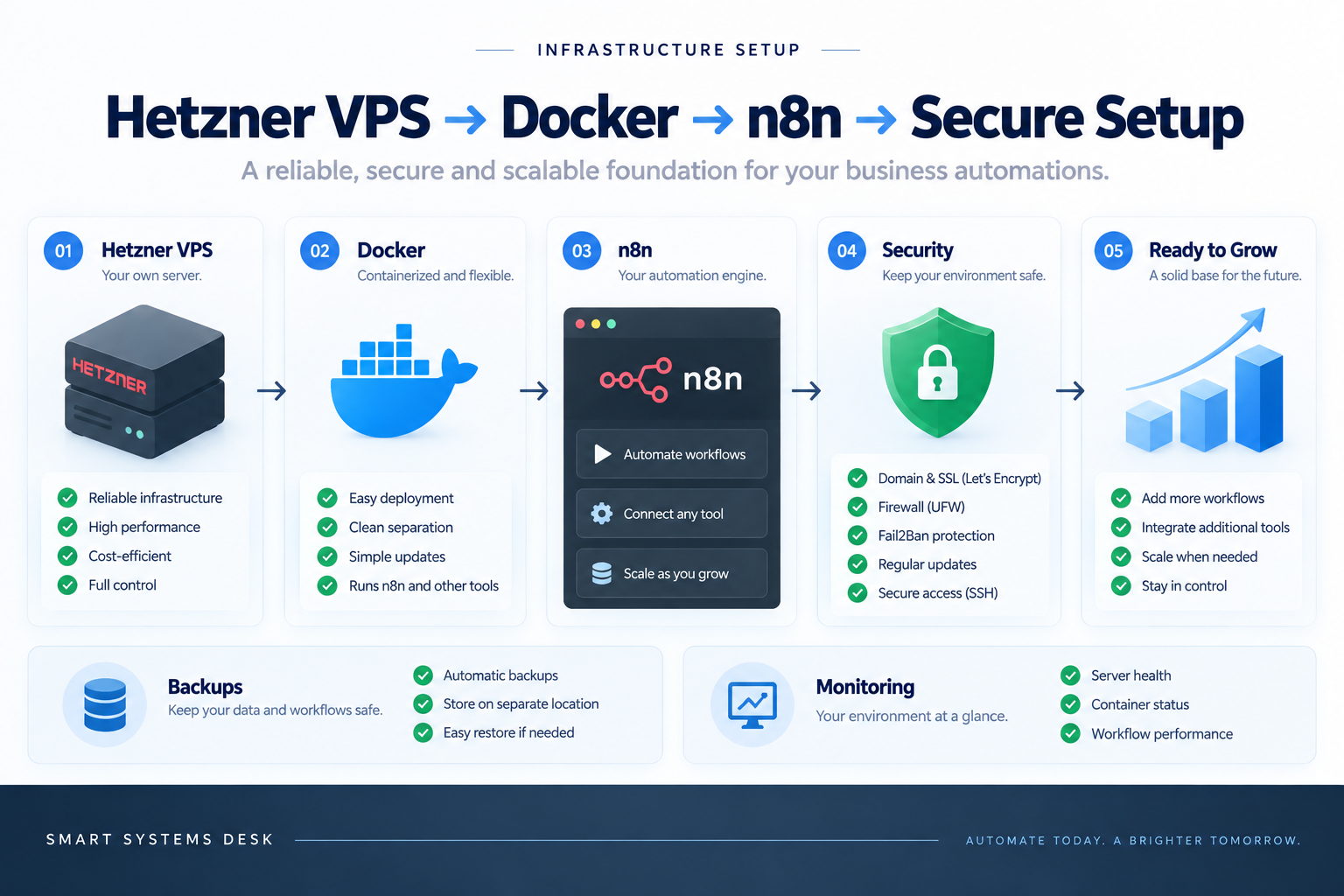
A small infrastructure stack provides the foundation for every workflow.
The VPS provides the always-on server
The cloud server gives n8n a dedicated environment that remains available independently of a local computer or browser session.
Docker runs the application environment
n8n runs inside Docker, keeping the application environment separated from the underlying server and making deployment easier to manage.
A custom domain provides consistent access
n8n is available through its own Smart Systems Desk subdomain, providing a stable address for administration and production webhooks.
HTTPS protects traffic to the environment
The reverse-proxy layer provides encrypted access so the n8n interface and webhook endpoints are served securely.
Persistent storage keeps workflows available
Workflow configuration and application data remain available across container restarts and server maintenance.
The main benefit is control over how the automation layer is used and expanded.
Workflows can run continuously without relying on a local development environment.
Production webhook URLs remain stable for connected websites and applications.
The environment can support more workflows and integrations as the system grows.
The infrastructure remains under direct control instead of being tied to workflow execution limits.
A compact infrastructure stack for a practical automation environment.
Hetzner
Provides the VPS that hosts the automation environment.
Ubuntu
Provides the Linux server environment underneath the application stack.
Docker
Runs n8n in a containerized environment with persistent storage.
Caddy
Provides reverse-proxy and secure HTTPS access to the n8n environment.
A production-ready automation environment that can support real business processes.
n8n runs continuously on its own dedicated server.
Live workflows can receive production webhooks from external systems.
New integrations can be added without rebuilding the infrastructure.
The same environment can support future CRM, AI and data workflows.
The server is the foundation. The value comes from what can be built on top of it.
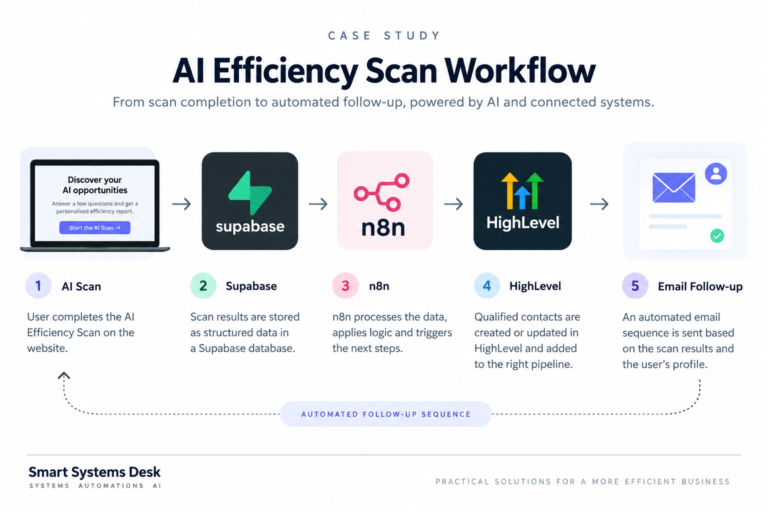
Website automation
Connect forms, inquiries and website events to other business systems.
CRM integrations
Create contacts, update records and trigger pipeline workflows automatically.
Data workflows
Move, transform and synchronize information between databases and applications.
AI workflows
Add AI models, agents and automated decision steps to connected business processes.
Infrastructure should make automation easier to expand, not harder to manage.
Self-hosting is not valuable simply because the software runs on a private server.
The useful part is having a stable automation layer that can sit between different tools and continue to grow as new workflows are added.
Once that foundation is in place, new automations can focus on solving the business process rather than repeatedly solving the infrastructure problem.
Let’s look at the systems your workflows need to connect.
Tell us which tools you use, what should happen automatically and where your current process is still creating manual work.